Concept · Delivery · Mobile
CloudCuisine
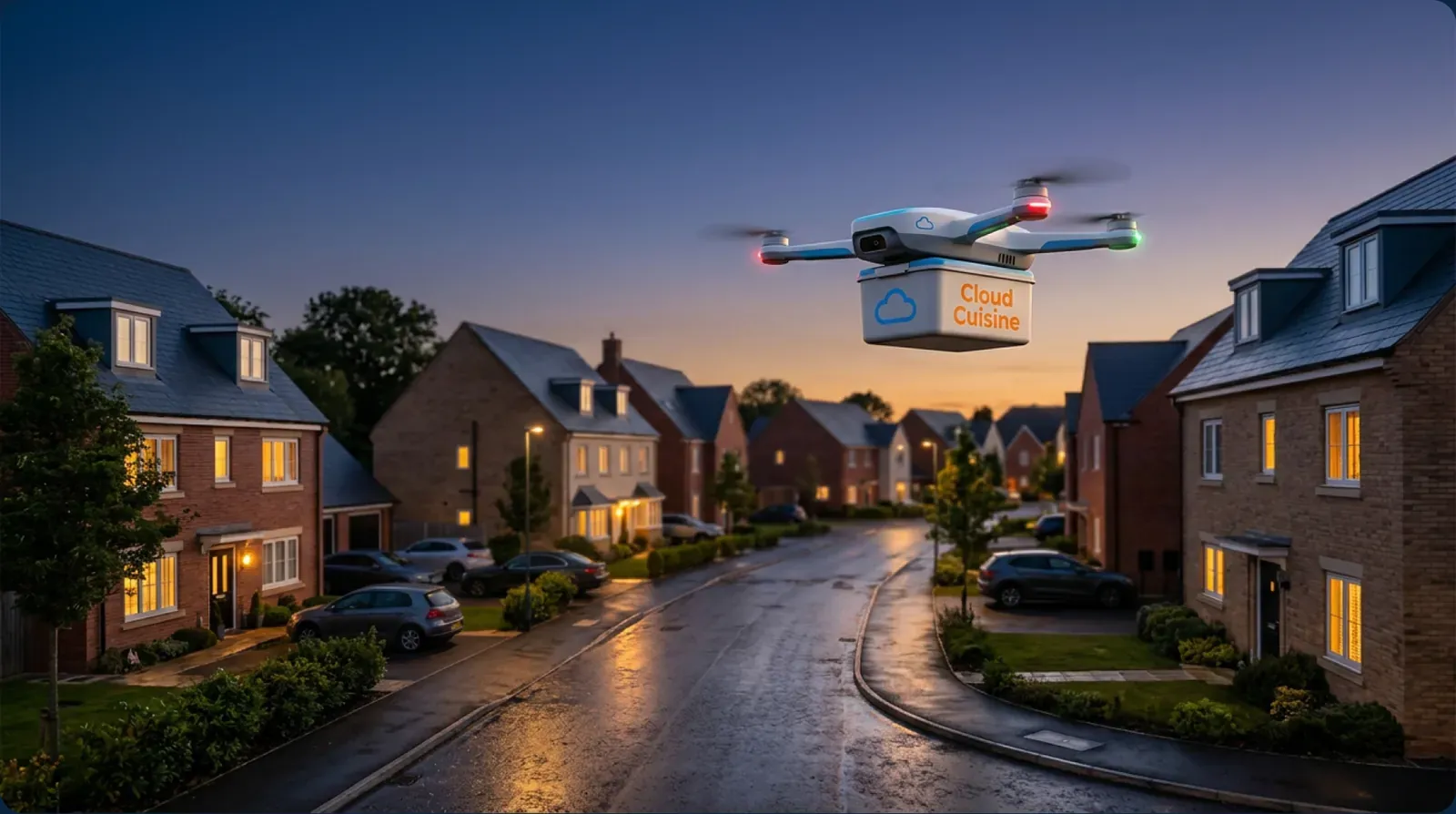
SkyDrop UK: food delivery by drone, designed from the order to the doorstep.SkyDrop UK: food delivery by drone, from the order to the doorstep.
Visuals generated with AI
- Role
- Product designer — research, UX, UI, design system and prototype
- Tools
- Figma, FigJam, Claude (Anthropic), AI image generation for concept visuals
- Timeline
- 3 months
- Team
- Solo project, with feedback from a senior product designer and Claude (Anthropic) as an AI assistant
- My contribution
- End-to-end: research, user flows, wireframes, UI for three products, design system, prototype and usability testing
Summary
- A concept for food and coffee delivery by autonomous drones — built for rush hour, when roads are full.
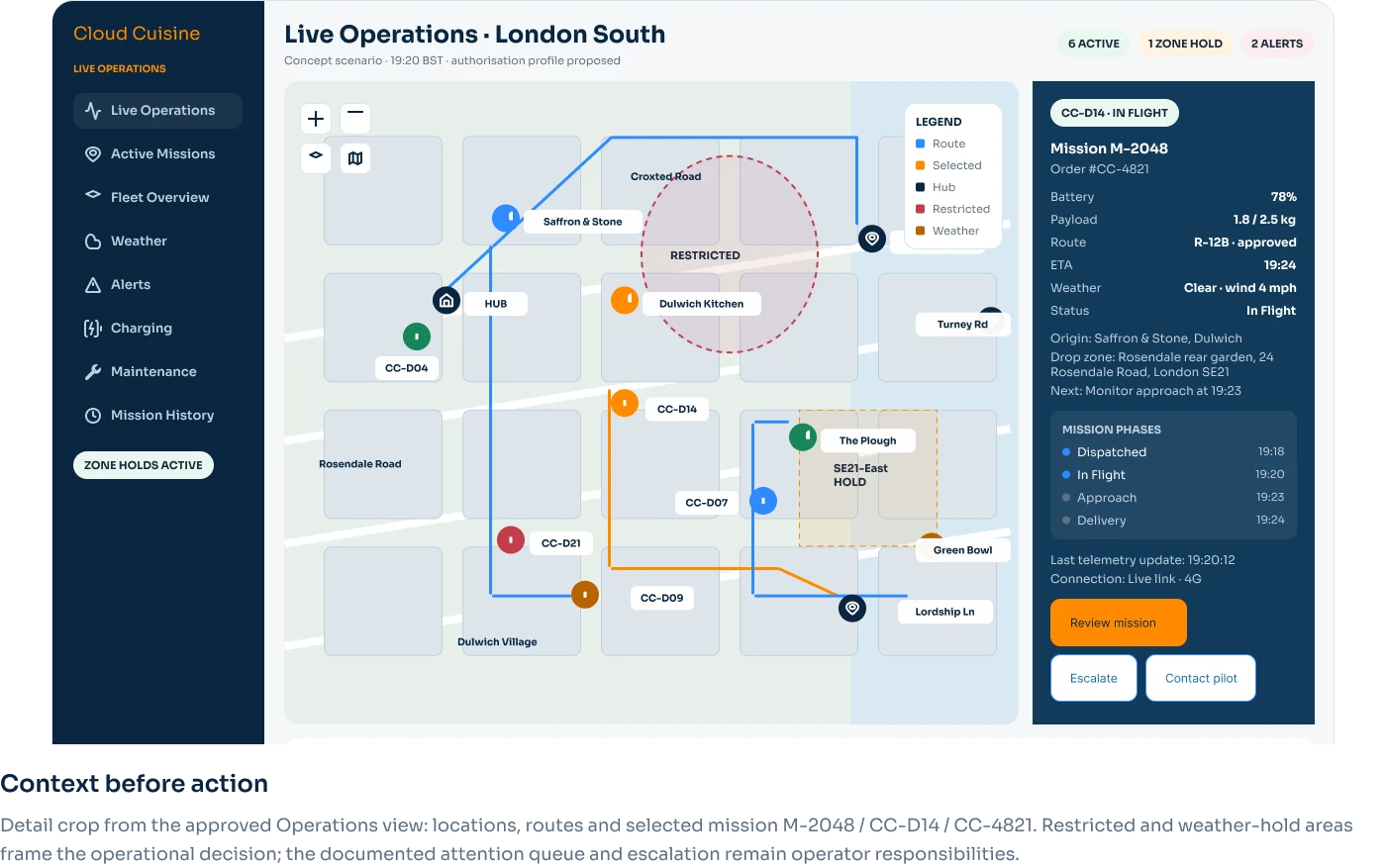
- Three connected products: a customer app, a restaurant dashboard and a fleet control panel.
- Designed solo in 3 months and tested with 4 people on a clickable Figma prototype.
The problem
Food delivery is slowest exactly when people want it most. At lunchtime and in the evening rush, couriers are stuck in the same traffic as everyone else — orders arrive late, coffee arrives cold, and restaurants lose repeat customers.
CloudCuisine explores a different route: autonomous drones that skip the roads entirely. The concept is inspired by Manna, the Irish company already running drone delivery in Dublin, and asks one question: what would the whole product look like — for the customer, the restaurant and the operator — if fresh food and coffee could arrive in minutes, not an hour?
Research
I started by studying how drone delivery already works in practice. I went through Manna’s website, app and visual language in detail: how they explain the service, how an order is placed, what the customer sees while the drone is in the air, and how the parcel is handed over.
From this I mapped the three people the product has to serve: the customer waiting for their order, the restaurant packing it, and the operator watching the fleet.
Process
Research → user flows → wireframes → design system → UI for three products → clickable prototype → testing with 4 people → iterations.
I worked on my own and reviewed each stage with an experienced product designer, who challenged my decisions and helped me keep the scope realistic. I also used Claude, an AI assistant by Anthropic, to structure research notes, pressure-test ideas and refine copy — the design decisions remained mine.
Key decisions
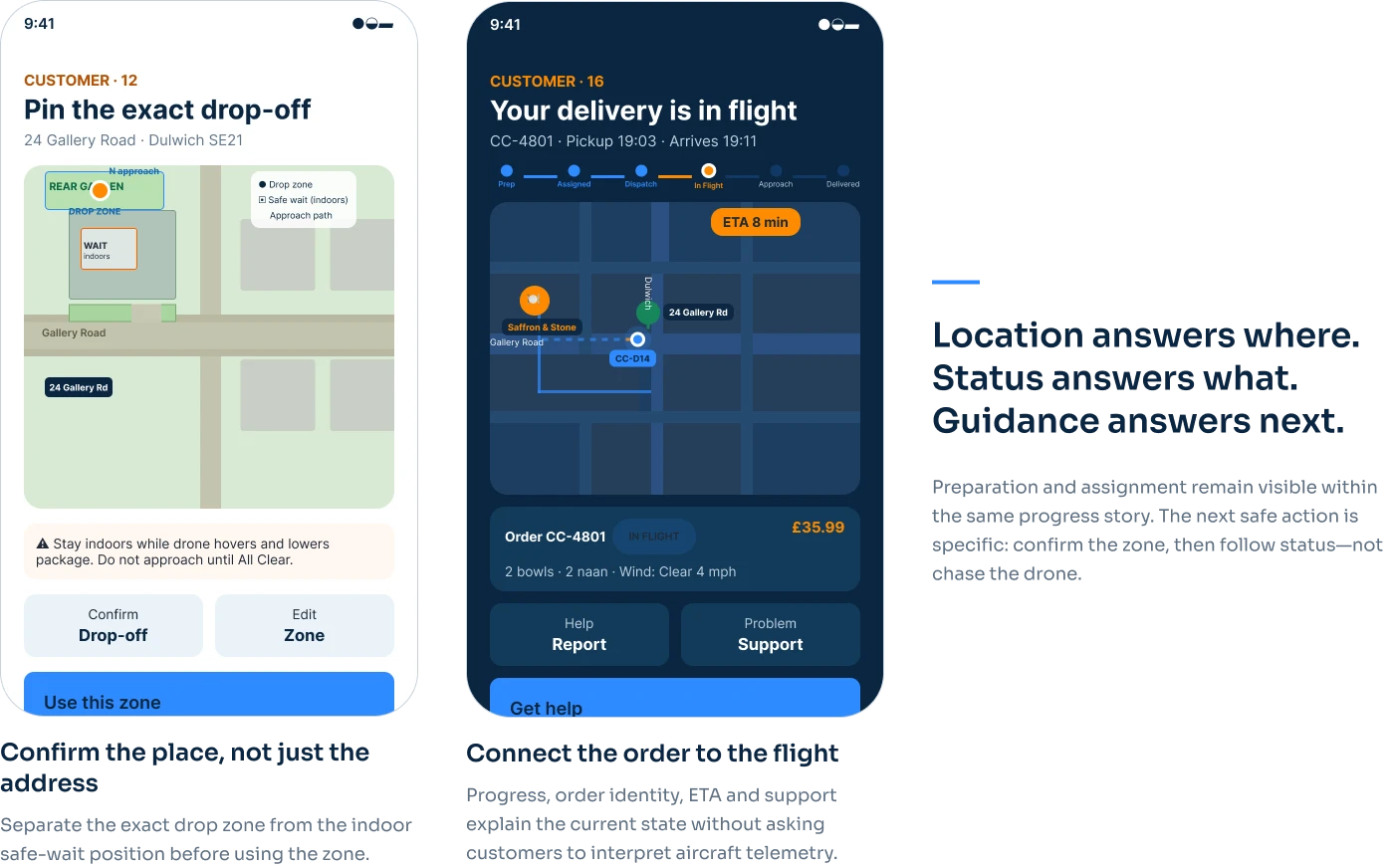
Live flight tracking. Waiting is the hardest part of any delivery. The customer sees the drone on a live map with a clear ETA and simple stages — preparing, in flight, arriving, delivered — so they always know what is happening without opening a chat or calling support.
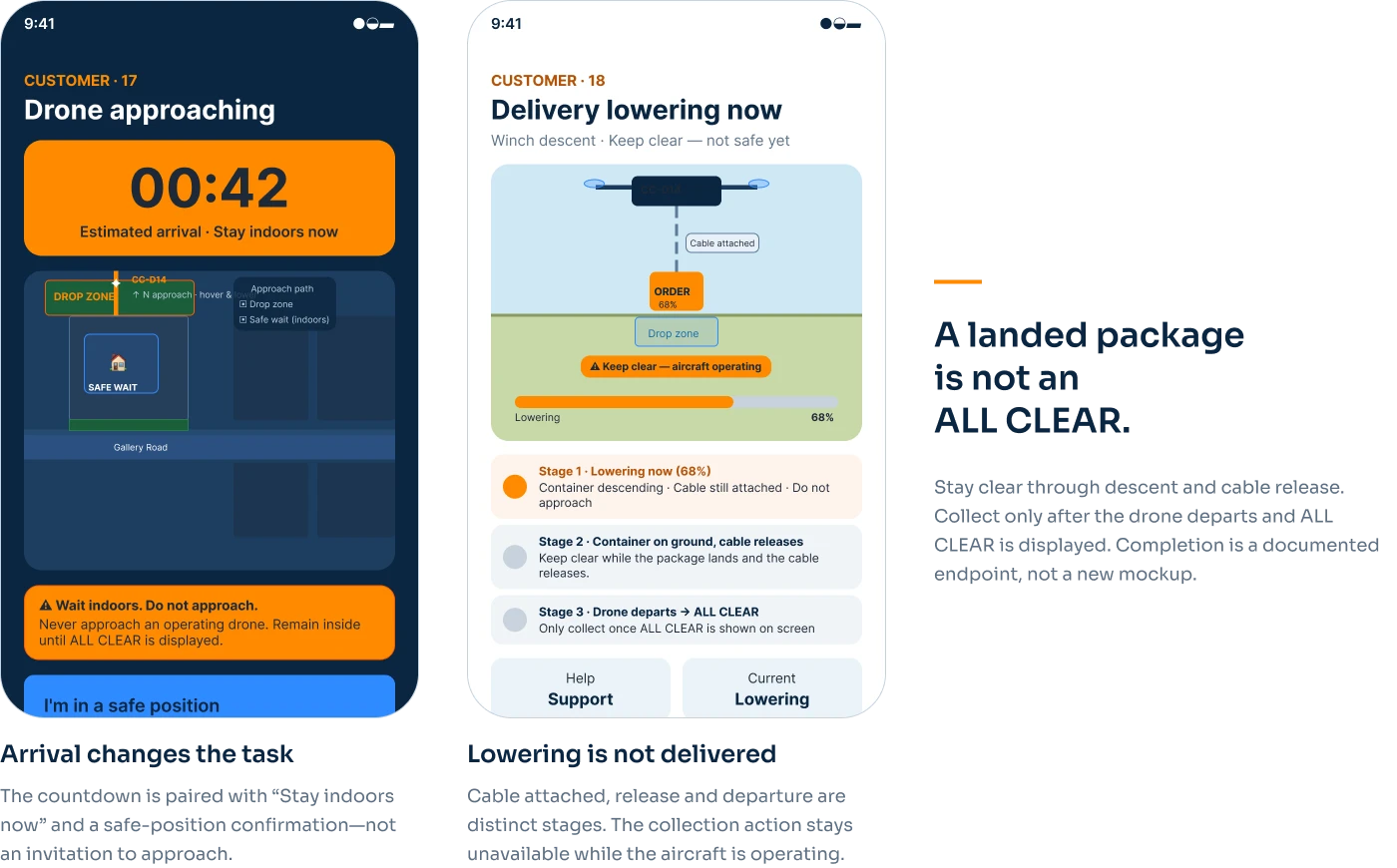
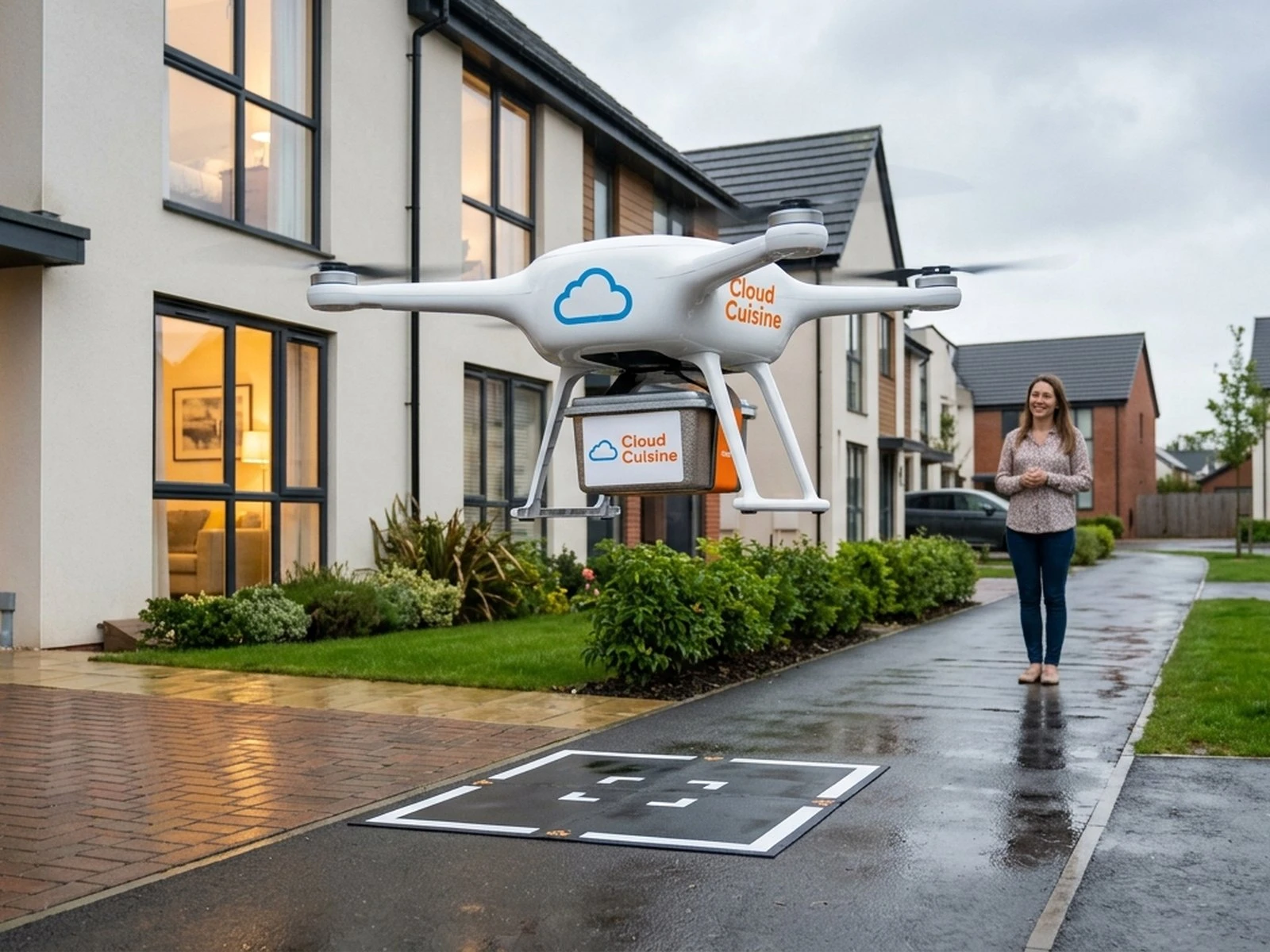
The handoff. The moment the drone arrives is new for most people. The app separates the drop-off zone from the safe waiting position. The customer stays indoors while the drone approaches and lowers the order, and collects it only after the cable releases, the drone departs and ALL CLEAR is displayed. The goal was to make a first drone delivery feel calm, not strange.
Design system
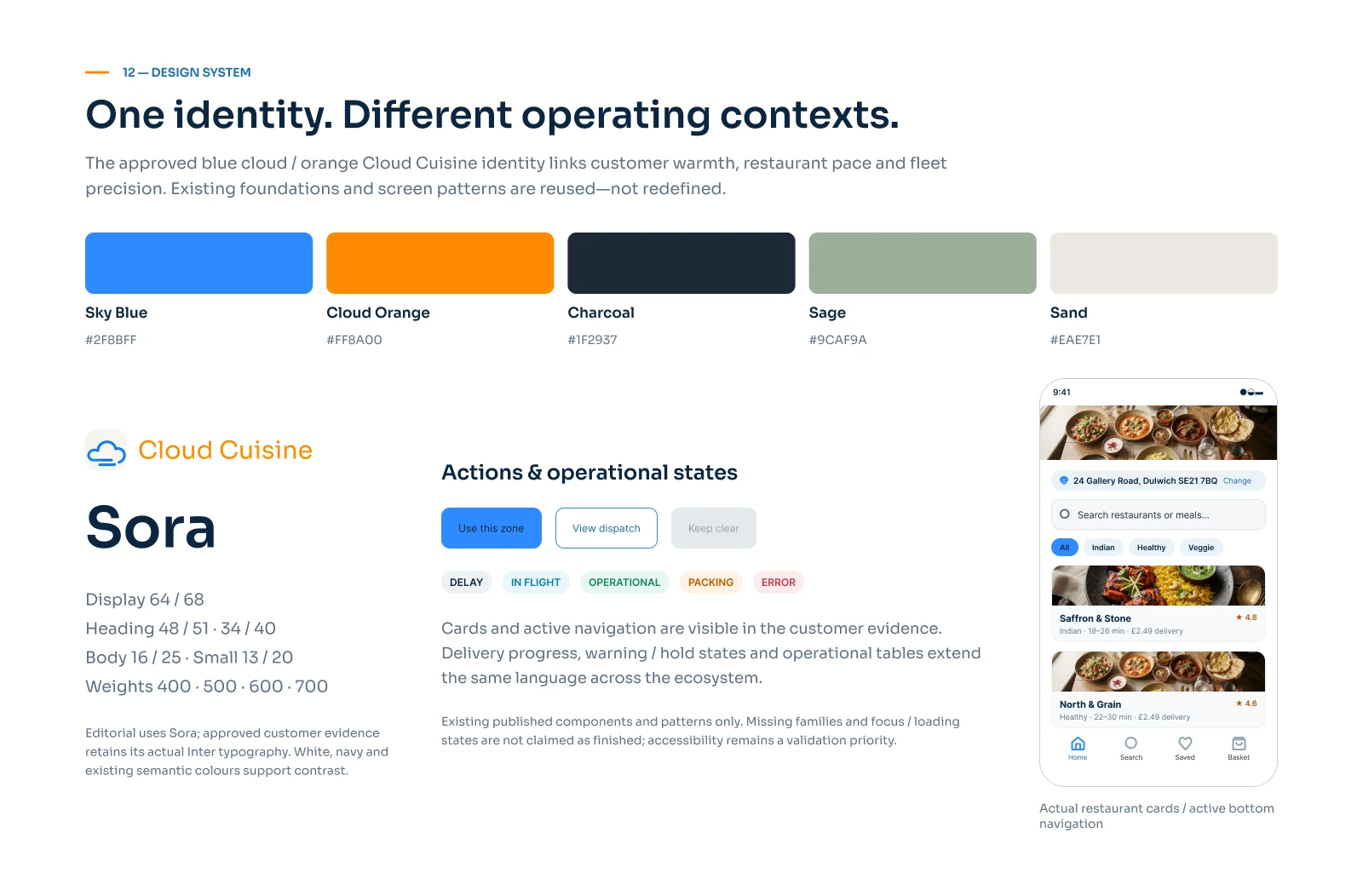
A small, consistent system shared by all three products: colour, type scale, spacing, components and states. It kept the customer app, the restaurant dashboard and the fleet control panel feeling like one product.
The design
- Customer app — browse, order, track the flight live and collect the order.
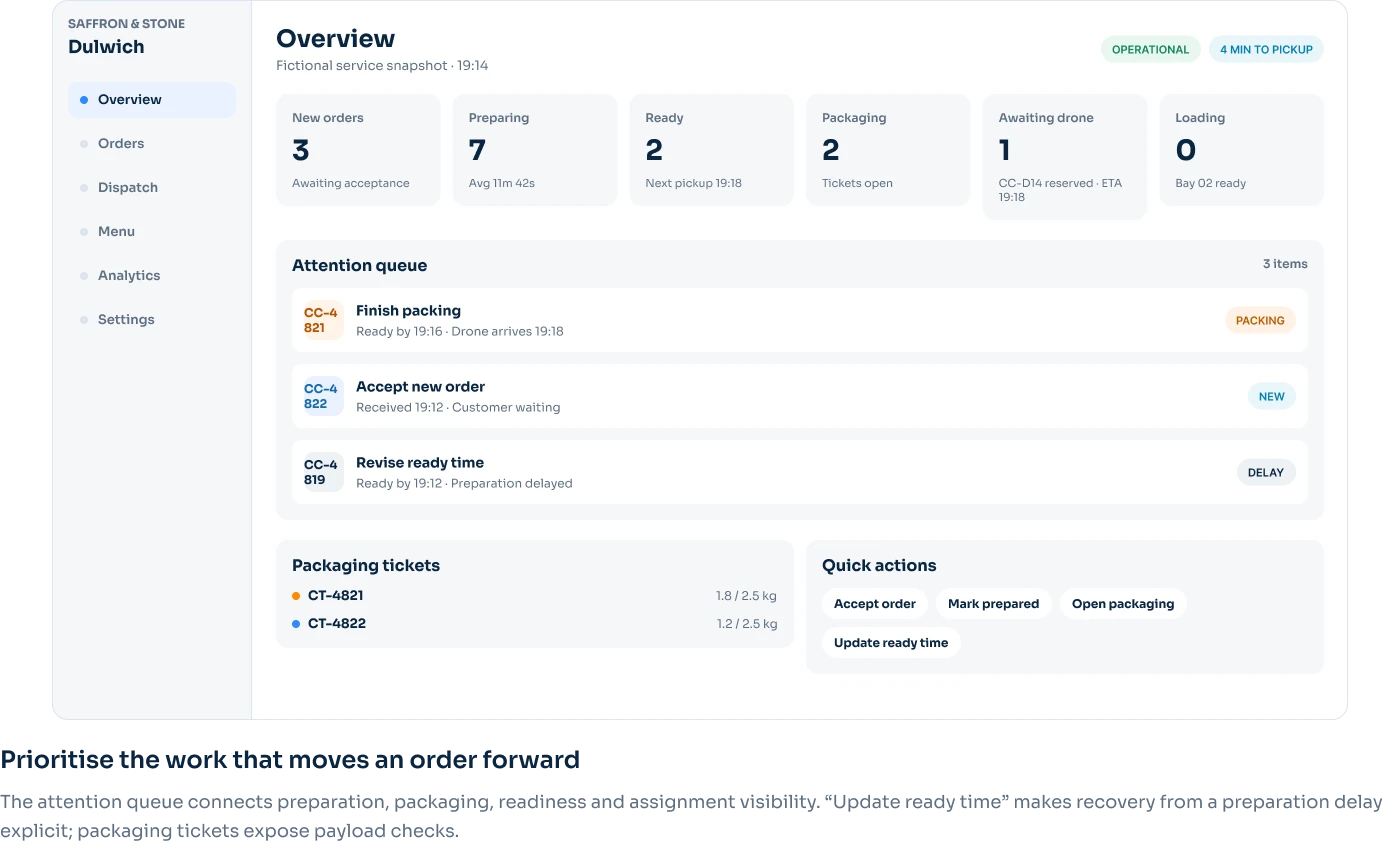
- Restaurant dashboard — incoming orders, packing status and drone pickup times.
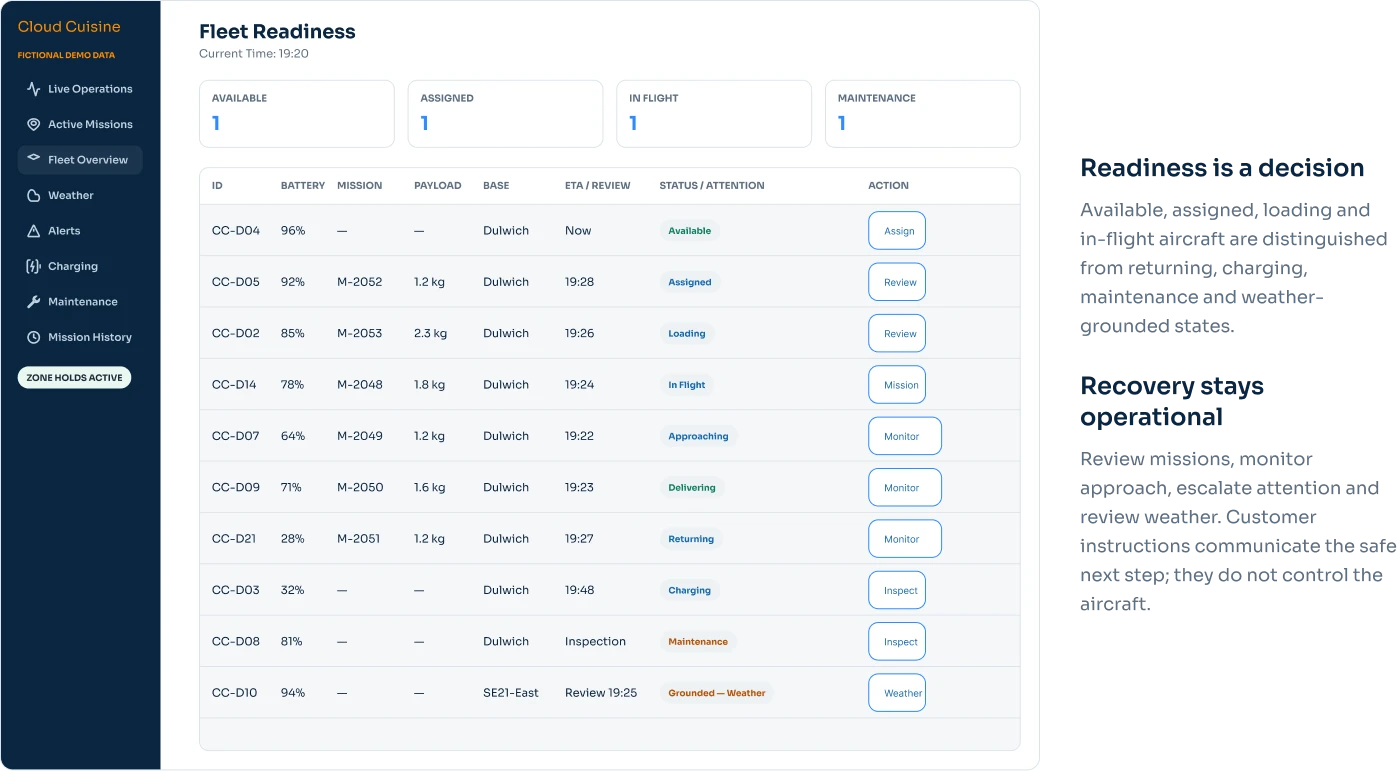
- Fleet control — a live map of drones, restricted zones and the mission queue.
Validation
I ran usability tests on the Figma prototype with 4 participants, covering the full journey: placing an order, tracking the flight and receiving the delivery. Their feedback shaped the next iteration of the tracking and handoff screens.
Outcome
A complete clickable prototype covering ordering, packing, delivery and pickup across three connected products — almost every screen of the journey is designed.
What I'd do differently
Test with more people, including restaurant staff and fleet operators, not only customers. And bring real-world limits — weather, noise and flight regulations — into the design earlier, because they shape the experience as much as the screens do.